HubSpot app · Marketplace
Your HubSpot records,
where they are.
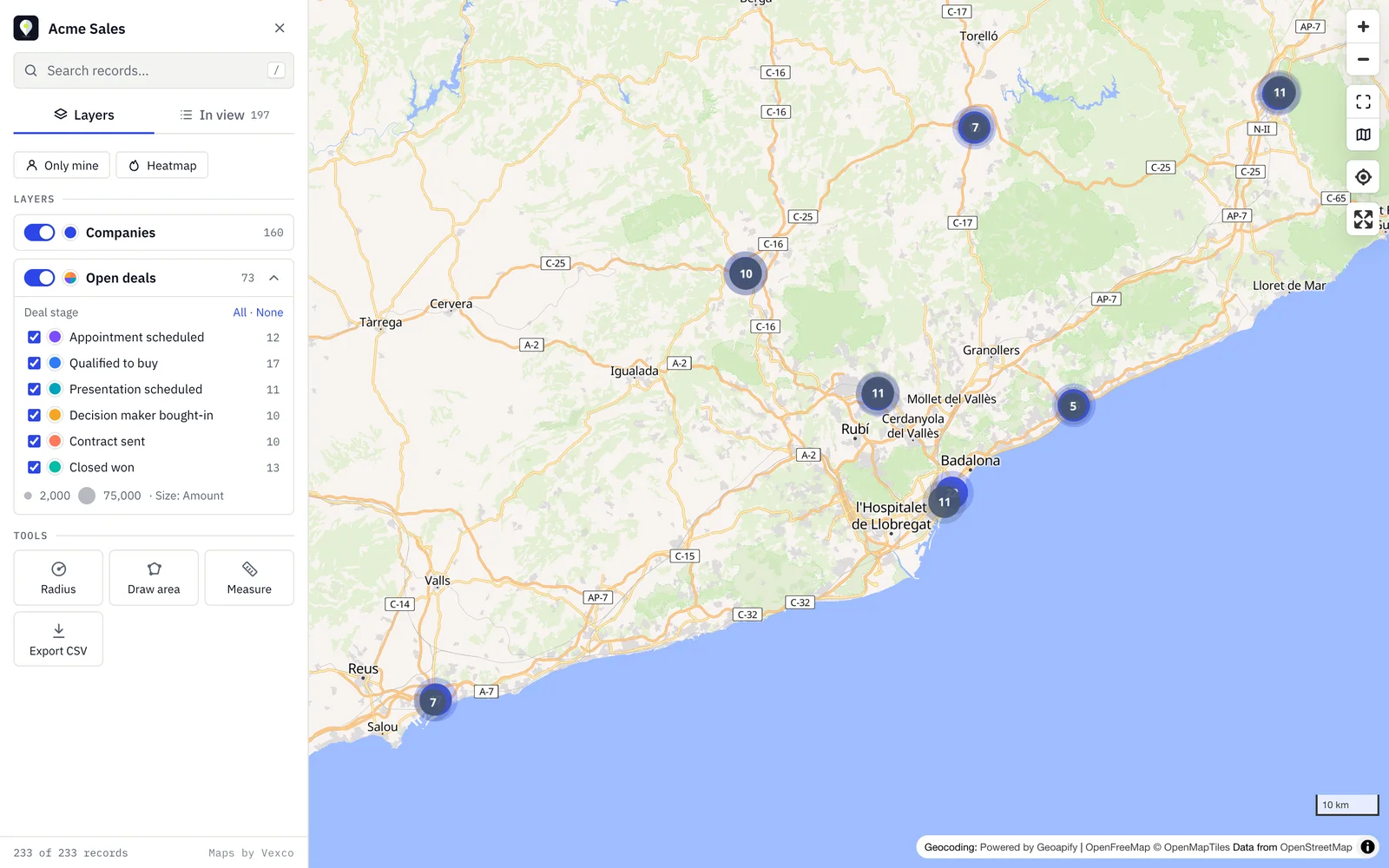
Companies, contacts, deals or any object, on a map. Layers, filters, routes and area search, configurable down to the last colour.
01 — Features
A legend, not a list of promises.
Every feature can be switched on or off in the settings. Your team sees only what it will use.
- 01
Layers of any object
Companies, contacts, deals, tickets, listings or custom objects. Location comes from the address or from latitude and longitude.
- 02
Meaningful colour and size
One colour per layer or by property (stage, industry, owner) and pin size from a number, such as the amount.
- 03
No-code filters
Each layer plots only what matches your conditions. On the map, each user hides values or sees "only mine".
- 04
List of what's in view
Records in the visible area, by name or distance, and a search box that takes you to the record.
- 05
Radius and areas
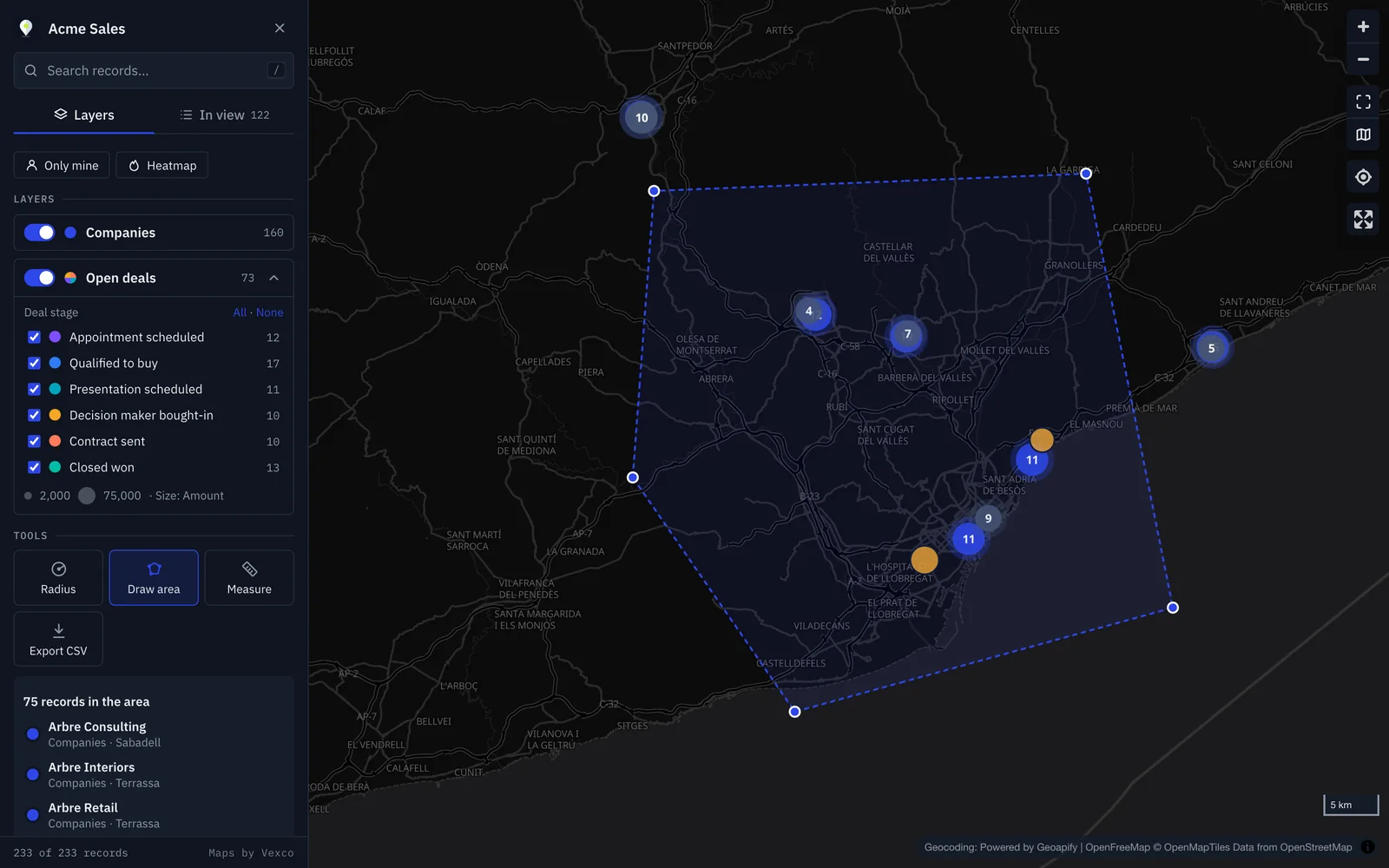
Search around a point or draw a territory and get the records inside.
- 06
Visit routes
Up to 10 stops, optimised order, opened in Google Maps.
- 07
On the record
A card with the address, nearby records and the expanded map centred on the record.
- 08
Heat and clustering
Customer or opportunity density by area, in one click.
- 09
Export
What you see, an area or a radius, to CSV with coordinates and HubSpot links.
02 — Day to day
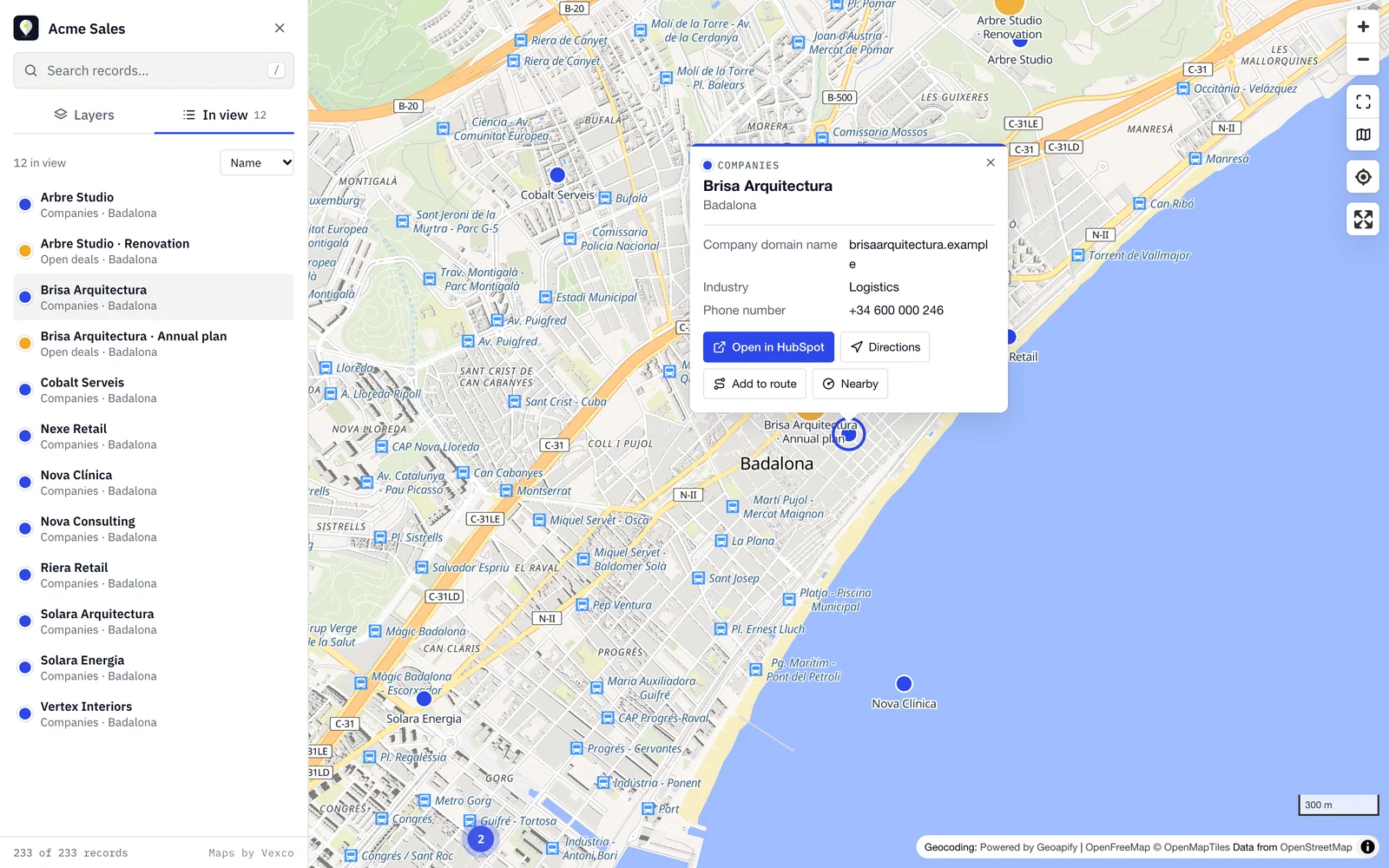
What's nearby, in a list.
The "In view" tab sorts what you see by name or distance. Search takes you to the record, and each pin opens its card with "Open in HubSpot", "Directions" and "Add to route".
Draw a territory, get the records.
Outline a neighbourhood or a sales area and export what's inside to CSV or add it to the route. Also by radius around any point.
03 — Appearance
With your company's character.
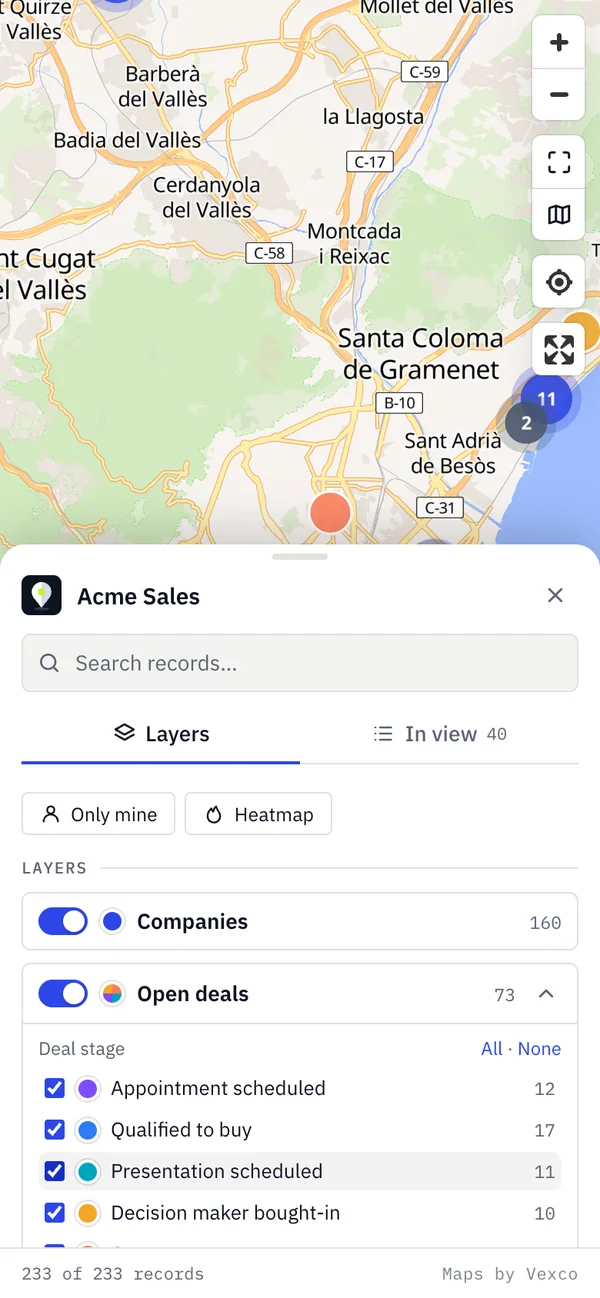
Your own title and colour, light or dark theme, panel on either side, marker shape and size. And each user finds the map as they left it.
- Theme follows the map style
- Streets, light, bright, dark or muted
- Bottom sheet on phones
04 — Who it's for
Field sales
Plan the week by area and build the route with customers near a visit.
Sales management
Areas with many leads and few customers, or large deals left uncovered.
Field service
Open tickets by area and technician, to split the work.
Real estate
Listings and buyer requests on one map, with price as size.
- Permissions
- Read-only. Never creates, changes or deletes records.
- Data
- Cloudflare, European Union jurisdiction.
- Addresses
- Geoapify included, or your own Google, OpenCage, Geoapify or Mapbox key.
- Stored
- Coordinates, title and the properties you choose to show.
- On uninstall
- Access cut immediately; everything deleted after 30 days.
- Languages
- English and Spanish, per HubSpot user.
06 — Getting started
- 01
Install
From the Marketplace or the button on this page.
- 02
Pick layers
Companies comes ready; add more from a template.
- 03
Open the map
From the app page or from any record.
07 — Video walkthrough
Install, set up, use and uninstall, in three minutes.
Recorded in a HubSpot test account; the tools, with the sample-data demo.